
How Long Do Gaming Laptops Last? A Realistic Lifespan Guide
A premium gaming laptop is a major purchase, so how long it stays useful matters as much as how fast it is today. Lifespan is not a single number: the GPU, battery, hinges and software all age on different timelines. This guide breaks down what actually wears out, what stays relevant, and the maintenance that keeps a machine going longer.

Illustrative stock photo (Pexels / Unsplash)
GPU relevance: the slow fade, not a cliff edge
The graphics card determines a gaming laptop's useful life more than any other component, and GPU relevance fades gradually rather than expiring on a date. A high-end card bought today will typically run new games well for several years, with the required settings drifting down over time: ultra today, high in a couple of years, medium later on. Games remain playable long after they stop running at maximum settings.
Buying more GPU than you currently need is the most effective way to extend this window. An RTX 5080 bought for today's games has more headroom for tomorrow's than an RTX 5070, which is part of what the premium price buys. Features tied to newer hardware generations, such as DLSS 4 on RTX 50-series cards, also matter, since they can boost performance in supported games without requiring new hardware.
The processor, memory and storage age more gracefully. A fast CPU from a few years ago still handles games competently, and 16GB of RAM remains comfortable for most titles, with 32GB giving more headroom. Storage can always be added. When a gaming laptop starts feeling old, it is almost always the GPU showing its age first.
Battery degradation: expect it, manage it
The battery is the component most visibly affected by age. Lithium batteries lose capacity with charge cycles, heat and time, and a gaming laptop that once managed six hours of light use might manage noticeably less after a few years. This is normal chemistry, not a defect, though the rate varies with how the machine has been treated.
Heat is the biggest accelerator of battery wear, and gaming laptops run hot by nature. Machines that spend their lives plugged in at a desk in warm rooms tend to degrade faster than those kept cool. Using a battery charge limiter, where the manufacturer provides one, to cap charging at around 80 per cent for desk-bound use is one of the most effective things you can do.
A worn battery does not mean a worn-out laptop. If the machine lives on a desk, reduced battery capacity barely matters in daily use. Replacement batteries are available for many models, though thin designs often need professional fitting. Judge the battery separately from the machine: one ageing component should not condemn an otherwise healthy laptop.
- Capacity loss over years is normal, not a fault
- Heat and constant full charging accelerate the decline
- Cap charge at about 80 per cent for desk-bound use
Hinges, keyboards and fans: physical wear
Physical wear accumulates in the parts you touch and move. Hinges endure thousands of open-close cycles, keyboards absorb millions of keystrokes, and fans spin for thousands of hours pulling dust through the chassis. On a well-built premium laptop these components are engineered for long service, but they are still mechanical parts with finite lives.
Keyboards are usually the first thing to show wear cosmetically, with shiny keycaps and fading legends, though they often keep working fine. Fans may grow noisier as bearings wear or dust builds up, which is usually fixable with cleaning. Hinge problems are less common on premium machines but more serious when they occur, since they can affect the display cables.
How you treat the machine matters. Opening the lid from the centre rather than a corner, keeping food and drink away from the keyboard, transporting the laptop in a padded sleeve and not slamming it shut all sound obvious, but they genuinely add up over years. Premium build quality helps, but gentle handling helps more.
Software and driver support over time
Software support shapes the later years of a laptop's life. Graphics driver updates continue for many years and often bring performance improvements and fixes for new games, so keeping drivers current is worthwhile throughout the machine's life. Operating system updates likewise keep the machine secure and compatible, though very old hardware eventually falls off support.
Game developers target a wide range of hardware, which works in favour of older laptops. Most new releases include scalable settings precisely so they run on machines several years old, even if not at the highest fidelity. Technologies like DLSS and frame generation further extend playable life by extracting more performance from existing hardware.
The practical upshot is that software rarely forces retirement on its own. A laptop becomes obsolete for gaming when its GPU can no longer deliver acceptable frame rates at settings you enjoy, which is a personal threshold, not a technical deadline. One player's medium settings at 60 frames per second is another player's upgrade trigger.
Maintenance that genuinely extends life
A little maintenance goes a long way. The single most useful habit is keeping the cooling system clear: dust-clogged vents and fans force the machine to run hotter, which hurts performance through thermal throttling and accelerates wear on every heat-sensitive component. A careful clean of accessible vents every few months, and a deeper fan clean annually if you are comfortable opening the machine, makes a real difference.
Thermal paste, the compound transferring heat from chips to the cooling system, can dry out over years and contribute to rising temperatures. Replacing it, known as repasting, can restore cooler running on an older machine, but it involves disassembly and carries risks, so it is best reserved for clear temperature problems and confident hands or professional service. For most owners, cleaning is the safer and sufficient step.
Beyond that, the basics apply: keep software updated, do not block vents by gaming on soft surfaces, use a cooling stand if temperatures concern you, and store the laptop sensibly when travelling. None of this is exotic. A well-maintained gaming laptop that is kept cool and clean will typically outlast a neglected one by a clear margin, whatever the specification.
- Clean vents and fans regularly; heat is the enemy of longevity
- Keep drivers and the operating system updated
- Repaste only for clear temperature problems, and carefully
- Do not game on beds or sofas that block the vents
Frequently Asked Questions
How many years will an RTX 50 laptop stay good for gaming?
Is it normal for the battery to get worse after a few years?
Should I repaste my gaming laptop?
Is buying a used or refurbished gaming laptop a good way to extend value?
Sources & further reading
Related Reading

Gaming Laptop Cooling, Explained
How gaming laptop cooling works in 2026: vapour chambers, heat pipes, liquid metal, fan noise, and why chassis…
Read →
UK Gaming Laptop Warranty Rights: What Buyers Should Know
UK gaming laptop warranty rights: the Consumer Rights Act 2015, 30-day rejection, the six-month rule, retailer…
Read →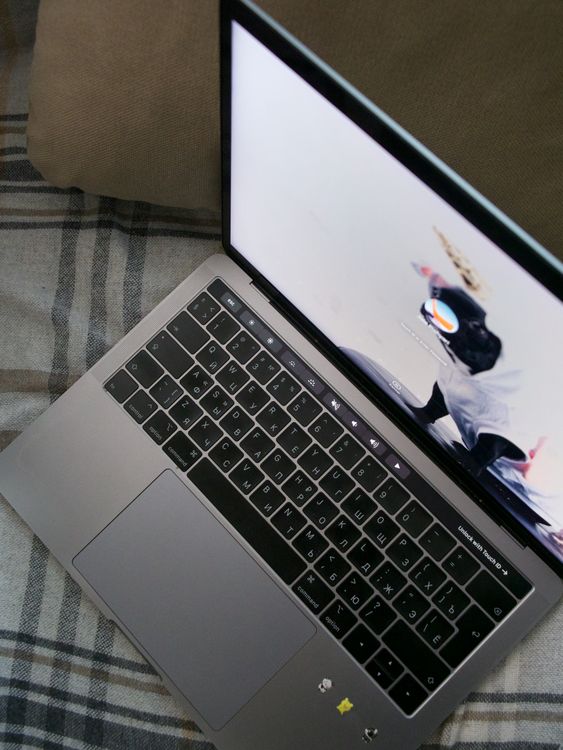
Refurbished Gaming Laptops in the UK: A Safe Buying Guide
How to buy a refurbished gaming laptop in the UK: manufacturer vs retailer vs marketplace options, what to che…
Read →