
Gaming Laptop vs Desktop in 2026: Which Is Right for You?
With premium RTX 50 gaming laptops now costing as much as a well-specified desktop, many UK buyers face a genuine dilemma. Both can deliver superb gaming, but they do it in very different ways and at different prices. This guide compares them across the factors that actually matter, so you can choose with your eyes open.
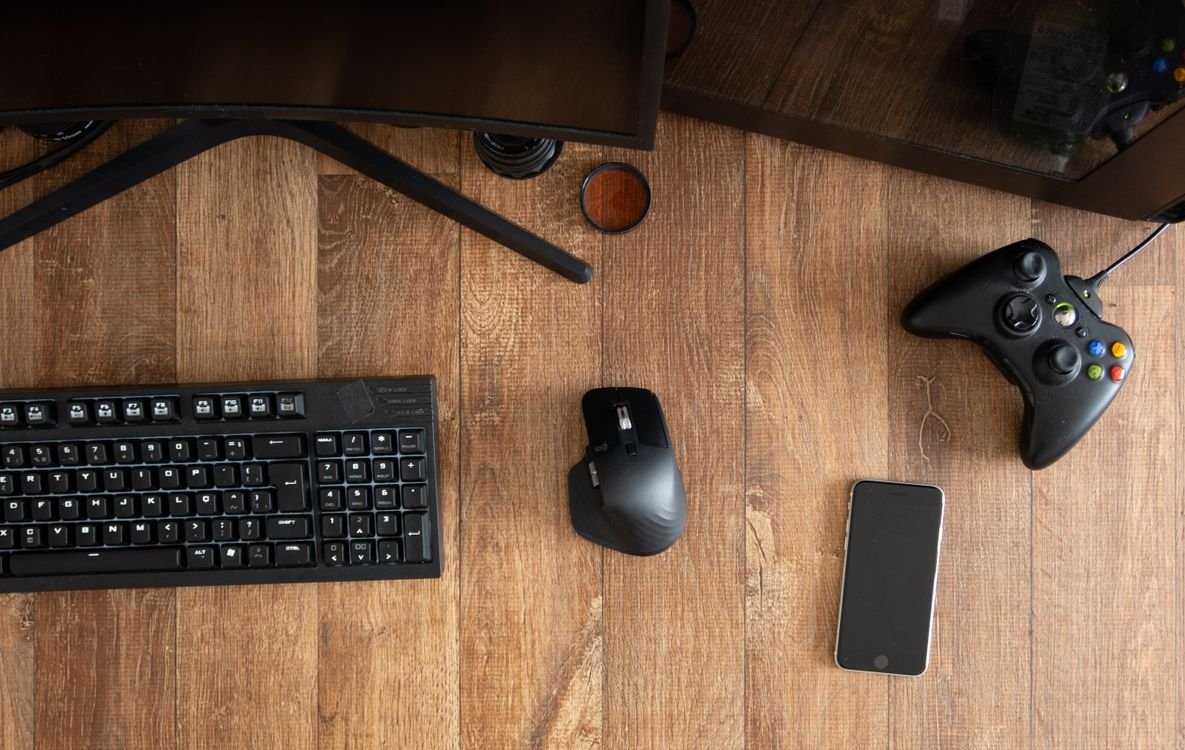
Illustrative stock photo (Pexels / Unsplash)
Price to performance: the desktop's home turf
The most quoted argument for desktops is price per frame, and it broadly holds true. A desktop delivering the same gaming performance as a premium laptop typically costs less, because laptop parts carry a premium for miniaturisation, and a laptop's price also bundles in the display, battery, keyboard and speakers. At the high end, the gap can be substantial.
There are nuances. A desktop is not just the tower: add a good monitor, keyboard, mouse and possibly speakers, and the total system cost climbs. Many buyers comparing a £2,000 laptop against a £1,500 desktop tower forget the £400 monitor that makes the desktop usable. Compare complete, usable systems rather than towers against laptops.
Running costs differ too, though modestly. Desktops generally draw more power under load and take up more space to cool, while laptops are more efficient per frame. Over a machine's lifetime the electricity difference is real but rarely decisive. The purchase price remains the main financial consideration, and there the desktop usually wins on raw performance per pound.
- Equivalent desktop performance typically costs less than a laptop
- Compare complete systems: desktops need a monitor and peripherals too
- The price gap is widest at the high end
Upgradeability: plan for the future or buy it now
Upgradeability is the desktop's second great strength. A desktop owner can replace the graphics card, add memory, swap in larger or faster storage, and often upgrade the processor, spreading the cost of staying current over several years. A mid-life GPU upgrade can extend a desktop's relevance considerably.
Gaming laptops are far more limited. Most allow memory and storage upgrades, which is worth doing, but the graphics card and processor are soldered or otherwise fixed in the vast majority of models. The specification you buy is largely the specification you keep, apart from RAM and SSDs. This makes the initial choice of GPU more consequential on a laptop: buy the performance you will want in three years, not just the performance you want today.
There is a counterpoint worth acknowledging. Many desktop owners never actually upgrade, and upgrade paths can be blocked by new socket or power requirements anyway. Upgradeability is valuable mainly to buyers who will genuinely use it. If you know you will replace the whole machine in four years regardless, the laptop's fixed specification is less of a disadvantage than it appears.
Space, noise and the way you actually live
Space and lifestyle often decide this question more honestly than benchmarks do. A desktop needs a permanent home: desk space for the tower, room for a monitor, and a tangle of cables you will look at every day. For a dedicated gaming room or home office, that is fine. For a small bedroom, a shared flat or a setup that must disappear when guests arrive, it is a real drawback.
A gaming laptop, by contrast, works anywhere and packs away into a drawer. Students, renters and anyone who splits time between locations get genuine value from this flexibility. Even within one home, the ability to game in different rooms or take the machine to a friend's house is something a desktop simply cannot offer.
Noise and heat play into this too. Desktops can be built very quietly with large coolers, while gaming laptops under load are audibly working hard through small fans. If your gaming space is also your sleeping or working space, a laptop's fan noise during late sessions is worth considering, though headsets solve most of it.
Displays, peripherals and the docked laptop
The display question cuts both ways. A desktop lets you choose your monitor freely: a large high-refresh screen for competitive play, an ultrawide for immersion, or a colour-accurate panel for creative work, upgraded independently of the PC. Laptop displays have improved enormously, with high-refresh and OLED options now common on premium models, but you are stuck with the size and panel you bought.
Peripherals follow the same pattern. Desktop users pick their ideal keyboard, mouse and audio setup; laptop users get a built-in set that is good but rarely exceptional, and many end up adding an external keyboard and mouse at the desk anyway. Once a laptop is docked with a monitor, keyboard and mouse, it starts to resemble a desktop in daily use, which is worth remembering when weighing the price difference.
That docked-laptop scenario is extremely common and perfectly sensible. It gives you desktop comfort at home and portability when you need it. Just be honest with yourself about how often the laptop will actually leave the desk: if the answer is rarely, you are paying a portability premium you do not use.
When a premium laptop wins
Despite the desktop's advantages, there are buyers for whom the premium gaming laptop is clearly the right call. If you travel, commute with your machine, split time between two homes, or simply have no space for a permanent setup, a laptop is not a compromise but the only practical option. Portability you actually use is worth paying for.
Students are the classic case: one machine for lectures, library work and gaming, carried in a backpack. Creative professionals who work on location, people in house-shares with no dedicated desk, and anyone who games at friends' houses all fall into the same camp. For these buyers the question is not laptop versus desktop but which laptop.
There is also the simplicity argument. A laptop is one purchase, one warranty, one device to maintain and secure. No compatibility research, no assembly, no separate monitor hunt. For buyers who want excellent gaming with minimum fuss, that convenience has real value, and modern RTX 50 laptops deliver performance that would have been unthinkable in a portable machine a few years ago.
Budget framing helps too. Around £1,500 to £2,000, a well-chosen RTX 5070 laptop, such as the HP Omen 16 or Lenovo LOQ 15, buys a complete ready-to-game system with no hidden extras. A desktop at the same total budget can game faster, but only after every peripheral is accounted for. Decide which trade-off you prefer, then commit without second-guessing.
- Choose the laptop if you travel, share space or lack a permanent desk
- Students and multi-location users get the most from portability
- One purchase, one warranty and zero assembly has genuine value
Frequently Asked Questions
Is a desktop really cheaper than a gaming laptop for the same performance?
I have limited space. Does that decide it?
Can I upgrade a gaming laptop later like a desktop?
When does a premium gaming laptop win outright?
Sources & further reading
Related Reading
eGPU vs Gaming Laptop in 2026: Which Should UK Buyers Choose?
eGPU enclosure vs a dedicated RTX 50 gaming laptop in 2026: honest cost maths, Thunderbolt bandwidth limits, p…
Read →
Best 18-Inch Gaming Laptops in the UK (2026)
Best 18-inch gaming laptops UK 2026: the verified ASUS ROG Strix Scar 18 flagship, honest 18-inch vs 16-inch a…
Read →
How Long Do Gaming Laptops Last? A Realistic Lifespan Guide
How long do gaming laptops last? GPU relevance over time, battery wear, hinge and keyboard wear, software supp…
Read →