
Refurbished Gaming Laptops in the UK: A Safe Buying Guide
A refurbished gaming laptop can be a smart way to get premium performance for less, but the word refurbished covers everything from manufacturer-certified machines to risky private sales. This guide explains the different sources, what to check before you buy, and the honest risks, so you can decide whether refurbished is right for you.
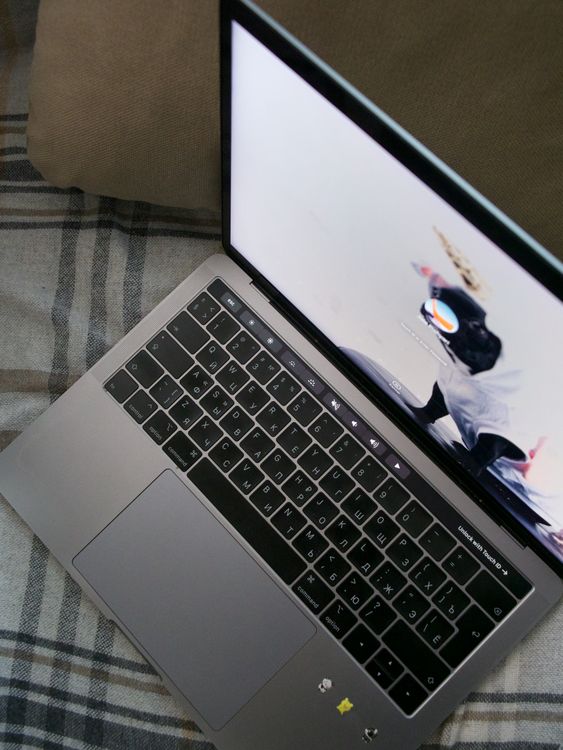
Illustrative stock photo (Pexels / Unsplash)
Three kinds of refurbished: know what you are buying
Not all refurbished laptops are equal, and the source tells you most of what you need to know. Manufacturer-refurbished machines, sold through a brand's own outlet store, are typically returns or ex-display units that have been inspected, repaired where needed and reset by the manufacturer itself. They usually come with a proper warranty, often a year, and are the safest refurbished option.
Retailer-refurbished units are the middle ground. Large UK retailers sometimes list refurbished or graded stock, and Currys is one retailer where refurbished units can be found during research. These are usually tested and graded by condition, and they come with the retailer's returns policy, which gives you a safety net. Grading descriptions vary, so read them carefully: a grade-A unit should look close to new, while lower grades may show visible wear.
Marketplace refurbished is the wild west. Private sellers and small traders on general marketplaces may describe machines as refurbished after little more than a wipe-down. Prices can be tempting, but warranties are often short or non-existent and returns can be difficult. This route can work out, but it demands the most caution and the most careful checking.
- Manufacturer outlet: inspected by the brand, usually a proper warranty
- Retailer refurbished: graded stock with a returns policy as backup
- Marketplace: cheapest but riskiest, check everything yourself
What to check before you buy
Before committing, work through a checklist. First, confirm exactly what refurbished means for this listing: who did the refurbishing, what was tested, and whether components were replaced. Vague descriptions are a warning sign. A trustworthy seller will say what was checked and what grade the cosmetic condition is.
Second, verify the specification independently. Ask for the exact model number and confirm the GPU, processor, RAM and storage match the listing. Gaming laptops sometimes have confusingly similar model names with different graphics cards, and an RTX 5070 is not an RTX 5070 Ti. Screenshots of system information or the original specification sheet help.
Third, check the warranty and returns terms in writing before you pay. How long is the warranty, who honours it, and what does it exclude? Can you return the machine within a reasonable window if it is not as described? A seller who is confident in their refurbishing will offer both without hesitation.
Battery health: the question to ask
Batteries are the part of a laptop most affected by previous use, so battery health deserves specific attention on a refurbished machine. Lithium batteries gradually lose capacity with charge cycles and age, and a heavily used gaming laptop may arrive with noticeably less capacity than when new. This matters less if the machine will live on a desk, and more if you need portability.
Where possible, ask the seller for a battery report showing the design capacity versus the current full-charge capacity, or the cycle count. Windows can generate a battery report with a simple command, and a reputable refurbisher should be willing to share one. If the seller cannot or will not provide this, treat it as a gap in your information rather than a deal-breaker, and price accordingly.
Also consider whether the battery is replaceable. Many thin gaming laptops have internal batteries that require disassembly to swap, which adds cost if you ever need a replacement. This is worth knowing upfront rather than discovering later, particularly on an older refurbished model where the battery has already seen significant use.
Warranty and returns: your safety net
Warranty length is one of the clearest signals of a refurbisher's confidence. A year of cover from a manufacturer outlet or a reputable retailer is a good sign; a 90-day warranty or no warranty at all shifts the risk onto you. For a machine with moving parts, fans and a battery, that risk is real.
Your statutory rights still apply to refurbished goods bought from a UK retailer, though the expectations adjust for the price paid and the disclosed condition. A refurbished laptop is not expected to be perfect, but it should still match its description and be of satisfactory quality given what you paid. Keep all documentation in case you need to make a claim.
Returns policies are your practical safety net. A 14- or 30-day return window gives you time to test the machine properly under load, which is something you cannot do from a listing. Test early and thoroughly: run demanding games, check every port and key, inspect the screen, and listen to the fans. Finding a problem on day three is far better than on day ninety.
- A year of warranty signals confidence; 90 days or none signals risk
- Statutory rights apply but expectations adjust for price and condition
- Use the returns window to test thoroughly under load
The honest risks, and when new beats refurbished
The honest risks of refurbished gaming laptops are worth stating plainly. Previous owners may have run these machines hard, with long gaming sessions at high temperatures, which can accelerate wear on fans, thermal paste and batteries. A good refurbisher addresses this; a careless one does not, and you cannot always tell which you are dealing with from the listing.
Cosmetic condition is the most common disappointment. Scratches, worn keycaps and shiny palm rests do not affect performance, but they can grate on a premium purchase. Grading systems help, but they are subjective, so treat photos as indicative and descriptions as optimistic.
Finally, weigh refurbished against discounted new stock. When previous-generation new laptops are being cleared, as happens around new GPU launches, the price gap to refurbished can narrow considerably. A new outgoing model with a full warranty sometimes beats a refurbished current model on overall value. Run the comparison before you commit, and buy the better package, not just the lower price.
Timing can help too. Refurbished stock often grows after major launches and sale events, when return volumes rise, so shopping a few weeks after Black Friday or a new generation launch can mean better choice. Where possible, pay by credit card for purchases over £100: Section 75 of the Consumer Credit Act gives extra protection if the seller fails to deliver or the goods are misrepresented.
Frequently Asked Questions
Is it safe to buy a refurbished gaming laptop?
Should I worry about battery health on a refurbished laptop?
What should I test when a refurbished laptop arrives?
Is a private marketplace listing always cheaper than retailer refurbished?
Sources & further reading
Related Reading

UK Gaming Laptop Warranty Rights: What Buyers Should Know
UK gaming laptop warranty rights: the Consumer Rights Act 2015, 30-day rejection, the six-month rule, retailer…
Read →
When to Buy a Gaming Laptop in the UK: The 2026 Calendar
UK gaming laptop buying calendar: Black Friday, January sales, back-to-school, new-generation launches, previo…
Read →
Best Gaming Laptops Under £2,000 in the UK (2026)
Best RTX 50-series gaming laptops under £2,000 UK (2026): HP Omen 16, Lenovo LOQ 15, MSI Crosshair 16 HX and A…
Read →