
eGPU vs Gaming Laptop in 2026: Which Should UK Buyers Choose?
An external GPU enclosure promises the best of both worlds: a thin, light laptop for everyday life that docks into desktop-class gaming power at home. But in 2026, with RTX 50 gaming laptops more efficient than ever, does the eGPU still make sense? This guide compares the two approaches honestly, covering costs, performance trade-offs and who each option suits.
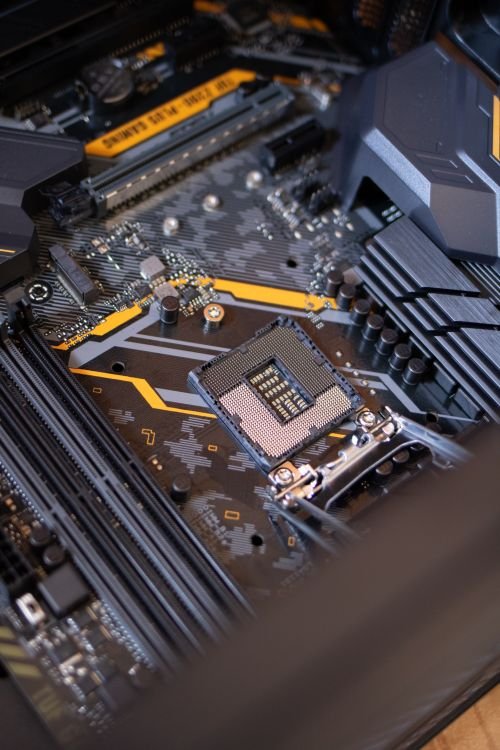
Illustrative stock photo (Pexels / Unsplash)
How eGPUs work: the concept and the reality
An eGPU, or external graphics processing unit, is a desktop graphics card housed in an external enclosure that connects to your laptop over a high-speed cable, usually Thunderbolt or USB4. The laptop handles everyday tasks with its own integrated graphics, and when you dock at home, the external card takes over for gaming, video editing or 3D work.
The appeal is flexibility. You can buy a slim ultrabook that weighs very little and slips easily into a bag, then come home to gaming performance that a thin laptop could never manage on its own. When a new generation of graphics cards arrives, you can theoretically upgrade just the card in the enclosure rather than replacing the whole machine.
The reality involves more boxes, cables and compromises than the marketing suggests. An eGPU setup means an enclosure, a desktop graphics card, a power supply inside the enclosure, and often an external monitor for the best results. What starts as a sleek vision of one laptop for everything becomes a small desktop installation that happens to have a laptop attached to it.
The cost maths, kept honest
The cost maths deserves a clear-eyed look. An enclosure alone typically costs a few hundred pounds, and then you need a desktop graphics card on top, which for anything matching RTX 50 laptop performance is a substantial purchase in its own right. Add it up and the total often lands in the same territory as a complete mid-range gaming laptop, sometimes more.
That comparison is not quite fair in one direction: the enclosure and card can outlive any single laptop, and upgrading the card later is cheaper than buying a whole new machine. But it is not fair in the other direction either, because you still need a capable laptop with a Thunderbolt or USB4 port to drive the setup, and that laptop costs money too.
As a rough rule, an eGPU setup tends to make financial sense only if you already own a suitable thin-and-light laptop and specifically want a home gaming station without buying a second computer. If you are starting from scratch and need both a laptop and gaming performance, a dedicated gaming laptop is usually the simpler and often cheaper route to the same destination.
- Enclosure plus desktop GPU often totals as much as a gaming laptop
- The upgrade path is the main long-term financial argument
- Starting from scratch, a gaming laptop is usually simpler and cheaper
Bandwidth: the Thunderbolt bottleneck
The technical compromise at the heart of eGPUs is bandwidth. A graphics card inside a gaming laptop talks to the processor over a fast internal connection designed for the job. An eGPU, by contrast, squeezes all of that communication through a Thunderbolt or USB4 cable, which offers far less bandwidth than the internal link.
In practice, this means the same graphics card will generally perform worse in an eGPU enclosure than it would in a desktop, with the gap varying by game, resolution and how the setup is configured. Fast-paced games at lower resolutions, where the processor and graphics card chatter constantly, tend to suffer more; higher resolutions that lean harder on the card itself tend to suffer less.
Driving the laptop's own internal display adds a further penalty, because rendered frames must travel back over the same cable. Many eGPU users connect an external monitor directly to the enclosure to avoid this round trip. That improves performance but adds yet another box to the setup, and it means the much-vaunted one-laptop lifestyle now involves a desk full of equipment.
Portability and setup: different kinds of freedom
Portability is where the comparison gets interesting, because each option wins in a different place. The eGPU route gives you the lightest possible laptop for travel, since the heavy graphics hardware stays at home. If your priority is a featherweight machine for commuting and you only game at your desk, this is genuinely appealing.
But the gaming laptop wins on gaming portability. An RTX 50 gaming laptop plays games anywhere: at a friend's house, in a hotel, on the sofa. The eGPU setup only games where the enclosure lives. For many buyers, the ability to take their games with them is the whole point of choosing a laptop over a desktop in the first place.
There is also the matter of setup friction. A gaming laptop is one device, one charger, zero configuration. An eGPU setup involves drivers, enclosure firmware, cable quirks and occasional troubleshooting when updates break something. Enthusiasts may enjoy that tinkering; most people just want their games to work.
Who should choose which
So who should choose which? An eGPU setup suits a specific buyer: someone who already owns a good thin-and-light laptop with Thunderbolt or USB4, does most of their gaming at one desk, enjoys tinkering, and likes the idea of upgrading the graphics card independently of the laptop. For that person, it can be a satisfying and flexible solution.
A dedicated RTX 50 gaming laptop suits almost everyone else. If you are buying fresh, want to game in more than one place, prefer simplicity, or want the best performance for your money without assembling a system from parts, the gaming laptop is the straightforward answer. Modern RTX 50 machines are also more efficient than their predecessors, which narrows the portability gap that once favoured the eGPU approach.
Neither choice is wrong in absolute terms; they answer different questions. The eGPU asks how to add gaming to a laptop you already love. The gaming laptop asks how to get the most gaming for your money in one purchase. Answer the right question for your situation and the choice usually makes itself.
One last consideration is how your needs might change. An eGPU setup is modular: if you later buy a new laptop, the enclosure and card move across with it, which can make the next upgrade cheaper. A gaming laptop is a single unit, so upgrading means replacing everything at once. If you change laptops often but keep the same desk, that modularity has real long-term value.
Frequently Asked Questions
Is an eGPU cheaper than buying a gaming laptop?
Do you lose performance with an eGPU?
Can any laptop work with an eGPU?
Do I need an external monitor for an eGPU?
Sources & further reading
Related Reading
Gaming Laptop vs Desktop in 2026: Which Is Right for You?
Gaming laptop vs desktop in 2026: honest price-to-performance comparison, upgradeability, space and portabilit…
Read →
Best Thin & Light Gaming Laptops in the UK (2026)
Best thin and light RTX 50-series gaming laptops UK (2026): 1.5kg Zephyrus G14 models, the sub-2kg G16 and Bla…
Read →
Best Gaming Laptops for Video Editing in the UK (2026)
Best gaming laptops for video editing UK (2026): 32–64GB RAM, 2TB storage and colour-accurate OLED on the Zeph…
Read →