
First Gaming Laptop Buyer's Guide UK (2026)
Buying your first gaming laptop is daunting: GPUs, refresh rates, TGPs, MUX switches — a wall of jargon designed to confuse. This guide cuts through it: what actually matters, what to buy, and what to ignore.
The beginner-friendly path to your first gaming laptop in 2026.

Illustrative stock photo (Pexels / Unsplash)
What beginners actually need
The beginner's truth: you need less than you think. An RTX 5070 laptop (£1,000–£1,200) plays every modern game beautifully at 1080p/1440p. The jargon — TGP, MUX, DLSS — matters less than the fundamentals: a good display, adequate cooling, and a reputable brand.
The beginner's budget: £1,000–£1,500. Below £1,000 compromises the experience; above £1,500 buys refinements beginners will not notice. The sweet spot is real — buy into it.
What matters (and what does not)
What matters: the GPU tier (5070/5070 Ti for most beginners), the display (144Hz+, 300+ nits — you look at it constantly), the brand (Lenovo, ASUS, HP, Acer — established support), and the retailer (UK stock, proper warranty, good returns).
What does not matter (yet): TGP wattage differences, MUX switches, DDR5 versus LPDDR5X, Gen4 versus Gen5 SSDs. These are enthusiast concerns — they affect benchmarks, not your enjoyment. Ignore them for now.
The safe first buy: Lenovo LOQ 15
The Lenovo LOQ 15 (RTX 5070, ~£1,000–£1,200) is the definitive first gaming laptop: honest performance, decent build, unbeatable value, and Lenovo's reliable UK support. It is the machine to buy when you do not know what you want — because it is right for almost everyone.
The LOQ's genius for beginners: no bad choices, no traps, no regrets. It simply works — and works well — for years.
The step-up first buy: Legion Pro 5i
The Legion Pro 5i (RTX 5070 Ti, ~£1,300–£1,500) is the step-up first buy: for beginners with a slightly larger budget who want a machine that feels premium from day one. Better display, better keyboard, better build — the complete package.
The Legion suits beginners who know they will take gaming seriously — the extra £300 buys a machine you will love for four years instead of merely like.
The first setup: the unboxing
The first unboxing: the inspection (the box — the damage — the contents); the power-on (the first boot — the Windows setup — the patience); and the checklist (the screen — the dead pixels; the keyboard — the keys; the ports — the connections).
The unboxing ritual: the documentation (the photos — the condition — the returns); the patience (the updates — the hours — the first day); and the excitement (the first game — the reward — the moment). The first laptop (the care — the learning — the journey). The unboxing is the beginning — the inspection is the prudence. The first-timer (the checklist — the confidence). The ritual matters — the laptop is the investment.
The first month: the learning
The first month: the learning — the Windows (the settings — the optimisation — the familiarity); the software (the launchers — the drivers — the tools); and the habits (the thermals — the battery — the care).
The learning curve: the week 1 (the setup — the configuration — the foundation); the week 2–3 (the exploration — the games — the settings); and the week 4 (the comfort — the routine — the ownership). The first-timer (the questions — the forums — the community); the mistakes (the bloatware — the thermals — the lessons). The month is the education — the laptop is the teacher. The learning is the fun — the mastery is the reward.
The first upgrade: the when
The first upgrade: the when — the RAM (the 16GB to 32GB — the year 1–2 — the multitasking); the SSD (the 512GB to 1TB+ — the full — the when); and the never (the CPU/GPU — the soldered — the acceptance).
The upgrade timing: the need (the slowness — the fullness — the signal); the research (the compatibility — the manual — the prudence); and the execution (the guide — the patience — the care). The first upgrade (the RAM — the easy — the transformative); the second (the SSD — the space — the freedom). The upgrades extend — the laptop evolves. The timing is the need — the upgrade is the renewal.
The jargon buster: the three specs
The beginner's jargon buster is the essentials: the GPU (the graphics — the games — the primary); the CPU (the processor — the everything else — the secondary); and the RAM (the memory — the multitasking — the 16GB). The three specs that matter — the rest is the detail. The beginner learns the three — the buying becomes the clear.
The jargon method: the GPU first (the budget — the allocated — the 50%); the CPU second (the modern — the enough — the not obsessed); and the ignore (the rest — the marketing — the dismissed). The beginner who knows the three buys the right — the jargon is the demystified. The essentials are the enough.
The welcome: the beginner's community
The beginner's community is the welcome: the forums (the asked — the answered — the kind); the Reddit (the r/GamingLaptops — the searched — the helped); and the friends (the experienced — the consulted — the trusted). The first-time buyer is the not alone — the community welcomes. The question asked is the answered — the beginners are the helped.
The community method: the search (the first — the done — the respectful); the ask (the clear — the specific — the welcomed); and the thanks (the given — the returned — the cycle). The beginner's community is the safety net — the 2am question, the answered. The welcomed buyer becomes the welcomer.
The £0 start: the beginner's first games
The beginner's first game is the free: the Fortnite (the downloaded — the played — the hooked); the Epic (the weekly — the claimed — the library); and the Steam (the sale — the £5 — the started). The £1,000 laptop's first games cost the £0 — the free-to-play, the weekly free, the library begun. The beginner plays tonight — the wallet untouched.
The free method: the download (the launchers — the installed — the 30 minutes); the claim (the weekly — the Epic — the habitual); and the play (the tonight — the hooked — the welcomed). The free games are the beginning — the £0, the instant. The beginner's library starts free.
Your first-week checklist
First-laptop checklist: buy from a UK retailer with 30-day returns (Amazon, Currys), test thoroughly in week one (dead pixels, thermals, fan noise), update drivers from NVIDIA (not Windows Update), remove bloatware, and keep the box for the return window.
Check the live price, do not finance more than you can afford, and remember: the best first laptop is the one that arrives, works, and makes you happy — not the one with the best benchmark score.
Frequently Asked Questions
How much should I spend on my first gaming laptop?
What is the best first gaming laptop?
What specs should a beginner get?
What should I do when it arrives?
Sources & further reading
Related Reading

Best Gaming Laptops Under £1,200 in the UK (2026)
The best gaming laptops under £1,200 in the UK for 2026 — RTX 5070 machines like the Lenovo LOQ 15, Acer Nitro…
Read →
Best Gaming Laptops £1,000–£1,500 in the UK (2026)
The best gaming laptops from £1,000 to £1,500 in the UK for 2026 — RTX 5070 and 5070 Ti machines compared, wit…
Read →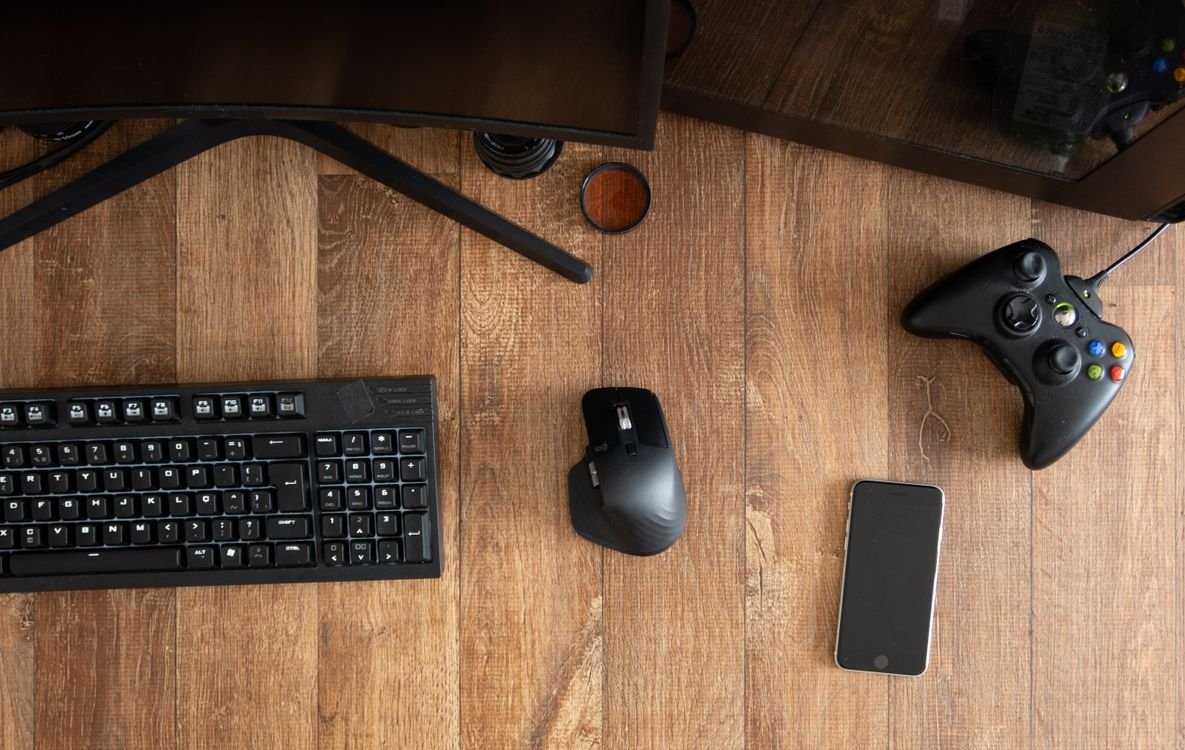
Upgrading from Console to Gaming Laptop (2026)
Upgrading from console to gaming laptop in 2026 — what console gamers gain, the best transition laptops, Game …
Read →