
RTX 50 vs RTX 40 Laptop: Should You Upgrade?
If you bought an RTX 40-series gaming laptop in the last couple of years, the RTX 50 launch probably has you wondering whether you're already behind. The short answer: probably not. The longer answer depends on what you play, what you paid, and whether DLSS 4's frame generation solves a problem you actually have. Here's the honest breakdown.
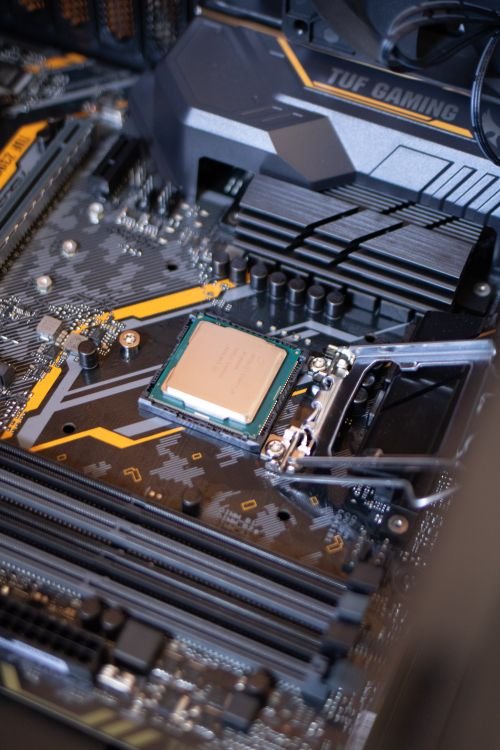
Illustrative stock photo (Pexels / Unsplash)
What RTX 50 actually brings: DLSS 4, GDDR7, efficiency
The RTX 50 laptop series is built on NVIDIA's Blackwell architecture and brings three headline improvements over the RTX 40 series. First, DLSS 4 with multi frame generation — the RTX 40 series supports DLSS 3 frame generation, but the multi-frame variant that can generate multiple frames per rendered frame is exclusive to RTX 50 GPUs. In supported games this can substantially raise perceived smoothness.
Second, GDDR7 memory replaces GDDR6 across the stack, bringing higher memory bandwidth. This helps at high resolutions and with large textures, and it's part of why the new cards handle 4K-class workloads more comfortably.
Third, efficiency improvements: Blackwell is a newer, more efficient architecture, so RTX 50 laptops can deliver more performance per watt. In practice this shows up as slightly better performance in thin chassis, or similar performance with less heat and noise — meaningful, but evolutionary rather than revolutionary.
None of this is trivial, but none of it makes an RTX 40 laptop slow. An RTX 4070 or 4080 laptop from 2024 remains a fast machine in 2026; the 50 series moves the ceiling rather than raising the floor.
DLSS 4 multi frame generation: the real headline feature
Multi frame generation is the single biggest experiential difference between the generations, and it's worth understanding properly. Traditional rendering draws every frame; frame generation uses AI to synthesise additional frames between rendered ones, multiplying the displayed frame rate. DLSS 3 (RTX 40) generates one extra frame; DLSS 4's multi frame generation (RTX 50 only) can generate more, pushing displayed frame rates higher still.
The catch — and it's an important one — is latency. Generated frames don't reduce input lag; they can add a small amount of it. At high base frame rates this is barely noticeable, but frame generation works best when the underlying rendered frame rate is already decent. It's a smoothness multiplier, not a substitute for raw performance, and competitive players often prefer it off.
So the honest question is: do the games you play support DLSS 4, and would higher displayed frame rates change your experience? If you mostly play competitive esports titles at high frame rates already, the answer is likely no. If you play cinematic single-player games on a high-refresh panel and want maximum smoothness, it's a genuine draw — but only in supported titles, so check the games you actually own.
The case for keeping your RTX 40 laptop
Here's the case nobody selling laptops will make: your RTX 40 machine is probably fine. If it runs the games you play at the settings and frame rates you enjoy, a new GPU generation doesn't change that. Games don't get retroactively harder to run because newer hardware exists.
The financial case is strong too. Laptops depreciate fast; selling a two-year-old RTX 40 machine to fund an RTX 50 replacement typically means absorbing a large loss to gain a moderate uplift. Unless your current laptop has a specific deficiency — not enough VRAM for the games you play, a screen you hate, battery life that's unusable — the money is usually better kept.
There's also the early-adopter consideration. New generations bring new drivers, and the first months of any GPU launch can include quirks that get ironed out over time. Buying a year into a generation often means a more polished experience at a better price. Patience is a legitimate strategy, not just frugality.
Genuine upgrade triggers: when it makes sense
That said, there are honest reasons to upgrade. VRAM limits top the list: if you bought an 8GB RTX 4060 or 4070 laptop and you're now hitting VRAM walls at your preferred settings, the 12GB+ configurations of the 50 series solve a real problem. Resolution changes matter too — moving to a 4K panel or ultrawide display is a legitimate reason to want more GPU.
Workload changes count as well. If you've started video editing, 3D work or local AI experimentation and your current GPU is the bottleneck, an upgrade is a productivity decision, not a luxury. Form factor can justify it: the efficiency gains mean a 2026 thin-and-light can now do what required a chunky machine two years ago — if portability has become a priority, that's real value.
And sometimes the trigger is simply timing and price. If your RTX 40 laptop is three-plus years old, showing its age, and you find a well-priced RTX 50 machine during a sale, the cumulative uplift across several generations of improvements (not just the GPU — screens, CPUs, cooling all moved on too) can make it a sensible buy.
What about skipping to wait for RTX 60?
There's always a next generation, and waiting for it is a strategy with no finish line. The pragmatic rule: buy when your current machine no longer does what you need, not when a new launch makes you feel behind. GPU generations arrive roughly every two years; if your laptop is struggling now, waiting two years for the next thing means two years of struggling.
A reasonable cadence for most buyers is upgrading every three to four years, which typically means skipping a generation. An RTX 40 laptop bought in 2024 skipping the 50 series and landing on whatever follows is a perfectly sensible plan — you'll get a bigger generational leap and skip the early-adopter phase entirely.
The exception is if a specific RTX 50 feature solves a specific problem — multi frame generation in the games you play, VRAM for the work you do. Features you use beat generations you wait for.
The bottom line for RTX 40 owners
If your RTX 40-series laptop still does what you need, keep it. The RTX 50 series is better — DLSS 4 multi frame generation is a real experiential upgrade in supported games, GDDR7 helps at high resolutions, and efficiency is improved — but 'better' and 'worth £2,000+ of your money' are different questions.
Upgrade when you have a trigger: VRAM limits, a new display, a new workload, a form factor that fits your life better, or a machine that's simply old enough that the cumulative improvements justify it. Don't upgrade from FOMO; the 50 series will still be there — likely cheaper and better-supported — when you actually need it.
And if you are buying fresh in 2026 with no existing machine, the calculus is different: buy the current generation, since you're paying full price either way. The 'should I upgrade' question only bites when there's a working laptop to replace.
Frequently Asked Questions
Is DLSS 4 worth upgrading from RTX 40 for?
How long will an RTX 4070 laptop remain good?
Will RTX 50 laptops get cheaper if I wait?
Is GDDR7 a big deal for gaming laptops?
Sources & further reading
Related Reading
DLSS 4 on Gaming Laptops, Explained
What is DLSS 4 on gaming laptops? Multi frame generation explained for UK buyers: which RTX 50 GPUs support it…
Read →
When to Buy a Gaming Laptop in the UK: The 2026 Calendar
UK gaming laptop buying calendar: Black Friday, January sales, back-to-school, new-generation launches, previo…
Read →
How Long Do Gaming Laptops Last? A Realistic Lifespan Guide
How long do gaming laptops last? GPU relevance over time, battery wear, hinge and keyboard wear, software supp…
Read →