
Intel vs AMD in Gaming Laptops (2026): Which CPU?
Intel or AMD? It's a question almost every gaming-laptop buyer faces, and the honest answer is that both are right — for different people. This guide makes the case for each side, compares them directly, and ends with a clear recommendation based on how you'll actually use the machine.
We also work through a concrete buying example, examine how your budget should shape the call, and flag the edge cases where the usual advice flips.

Illustrative stock photo (Pexels / Unsplash)
The case for intel
Intel's Core Ultra HX processors — the 275HX, 285HX and 290HX Plus found across our database — dominate the high end of gaming laptops. Intel's strengths are peak single-threaded performance, mature platform support and ubiquity: if you want the widest choice of configurations, Intel is where most of them are. Thunderbolt support on Intel platforms is also a genuine advantage for dock users.
The case for amd
AMD's Ryzen 9 9955HX, 8940HX and Ryzen AI chips counter with excellent multi-threaded performance and typically better efficiency — which translates to cooler running and longer battery life in thin machines. AMD-powered laptops like the Strix G16 (9955HX) and Pulse A16 AI+ (HX 370) are often priced keenly, making AMD the value play as well as the efficiency play.
Intel vs AMD: side by side
| Intel | AMD | |
|---|---|---|
| Gaming performance | Excellent — leads in many titles | Excellent — within a few percent |
| Multi-threaded work | Very strong | Very strong — often leads |
| Efficiency / battery | Good | Better — longer light-use battery |
| Choice of laptops | Widest — most configurations | Growing — fewer total options |
| Thunderbolt | Yes — full support | No — USB4 instead |
| Typical pricing | Premium | Often slightly keener |
No single row decides this — the right choice is the one whose strengths match your situation. Read the table as a menu of trade-offs, not a scorecard.
A worked example
Take two real RTX 5070-class machines: the ASUS ROG Strix G16 with an AMD Ryzen 9 9955HX (£2,299.99 at Scan) against Intel HX-powered alternatives in the same bracket. In games, you'd struggle to tell them apart blind — the RTX 5070 is the limit in both. The differences emerge at the edges: the AMD machine sips less power on battery, the Intel machine offers Thunderbolt for dock users.
This is why we say buy the laptop, not the logo. Choose between these on price, display, keyboard and ports — the CPU badge is the least important line on either spec sheet for gaming.
Our recommendation
For pure gaming at the high end, buy on the laptop not the logo — the GPU matters far more than the CPU badge, and both are excellent. Choose Intel if you use Thunderbolt docks or want maximum configuration choice. Choose AMD if battery life and efficiency matter, or if the AMD configuration is cheaper — which it often is.
Price reframes this entire debate. At identical prices, the choice between Intel and AMD is philosophical; at a £300+ price gap, it's arithmetic. Before philosophising, check live UK prices on the exact configurations — gaming laptops discount aggressively and unpredictably, and the 'expensive' option is regularly the cheaper one on any given week.
Also consider what the saving buys elsewhere. Money not spent winning this debate can fund a better monitor, a quality mouse and keyboard, or simply stay in your account. The best version of Intel-versus-AMD is often the cheaper one plus £200 of peripherals.
It's worth understanding how the Intel-versus-AMD decision interacts with the GPU tier you buy — because the two decisions multiply. A well-chosen side of this debate paired with the wrong GPU tier still disappoints, while the 'wrong' side of the debate with the right GPU often delights. Prioritise in order: first the GPU tier appropriate for your resolution (RTX 5060 for 1080p, RTX 5070/5070 Ti for 1440p, RTX 5080 and above for 4K), then enough RAM and storage, then display quality — and only then optimise Intel versus AMD.
This ordering matters because buyers routinely invert it: they agonise over Intel-versus-AMD for weeks, then buy whichever GPU happened to be on sale. Don't. Lock your GPU tier first based on the resolution you play at, set your budget, and then let the Intel/AMD decision fall out of what's available at that tier. A balanced machine on the 'wrong' side of this debate beats an unbalanced machine on the 'right' side every time.
Common mistakes to avoid
The most common mistake is deciding on aspiration instead of reality — buying amd when your life needs intel, or vice versa. The second most common mistake is letting a single specification dominate: one impressive number never outweighs the overall fit. And the third is ignoring the used and refurbished market, where the price-performance maths can change completely.
Finally, don't overthink it. Intel and AMD are both mature, sensible choices in 2026 — there is no disastrous option here, only better and worse fits for your specific needs.
Every generalisation has exceptions. If you have highly specific needs — a particular software certification, a disability access requirement, or a workflow built around one platform — those needs outrank everything above. Buy what your situation demands, not what a guide recommends for the average buyer.
Likewise, if you're buying for someone else (a gift, a family member), favour simplicity and support over optimisation. The theoretically perfect choice that confuses its owner is worse than the slightly less perfect choice they can actually use and get help with.
Verdict: which should you choose?
There is no wrong answer in 2026: both make superb gaming laptop CPUs. Decide on GPU, screen and price first; treat Intel-vs-AMD as a tiebreaker, not the decision.
If you're still torn: you're probably overthinking it. Both Intel and AMD are mature choices, and the difference between them is smaller than the difference between a well-chosen and poorly-chosen GPU tier. Pick the side that fits your life, buy the right GPU for your resolution, and stop reading comparisons. The hours spent agonising are worth more than the marginal gain — go and enjoy the machine.
Frequently Asked Questions
Can I get the best of both intel and amd?
Does this choice affect gaming performance directly?
What do most UK buyers choose?
How much should I let price decide?
Is there a wrong answer here?
Sources & further reading
Related Reading

MSI Pulse A16 AI+ (2026) RTX 5060 Review: Modern CPU, Entry GPU
MSI Pulse A16 AI+ review UK (2026): RTX 5060, 16-inch WQXGA display, Ryzen AI 9 HX 370, 16GB RAM, 1TB SSD. Sca…
Read →
ASUS ROG Strix G16 (2026) RTX 5070 Review: AMD Flagship CPU, Mainstream GPU
ASUS ROG Strix G16 review UK (2026): RTX 5070, Ryzen 9 9955HX, 16-inch 2.5K display, 32GB RAM, 1TB SSD. Scan U…
Read →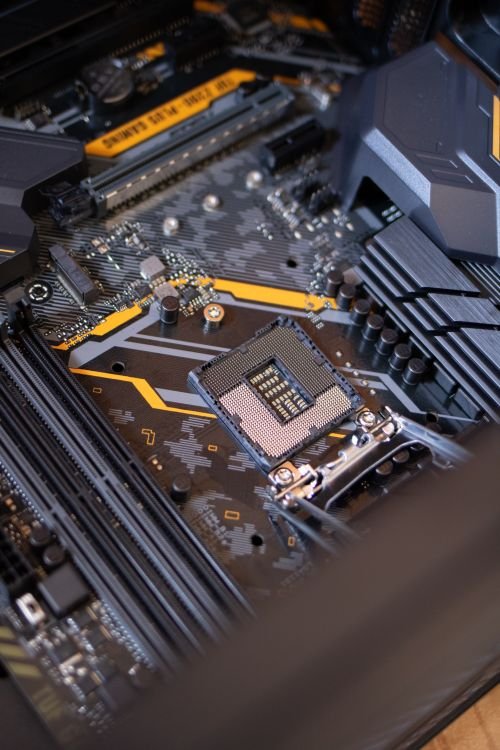
Best RTX 5070 Laptops in the UK (2026)
The five best RTX 5070 gaming laptops in the UK for 2026 compared — from the £1,349 HP Omen 16 to the portable…
Read →