
How to Upgrade RAM in a Gaming Laptop (2026)
RAM upgrades are the best-value performance boost for gaming laptops: 16GB to 32GB for £40–£60, ten minutes with a screwdriver, and meaningful gains in multitasking and demanding games. Here is the complete guide.
The UK RAM upgrade guide.
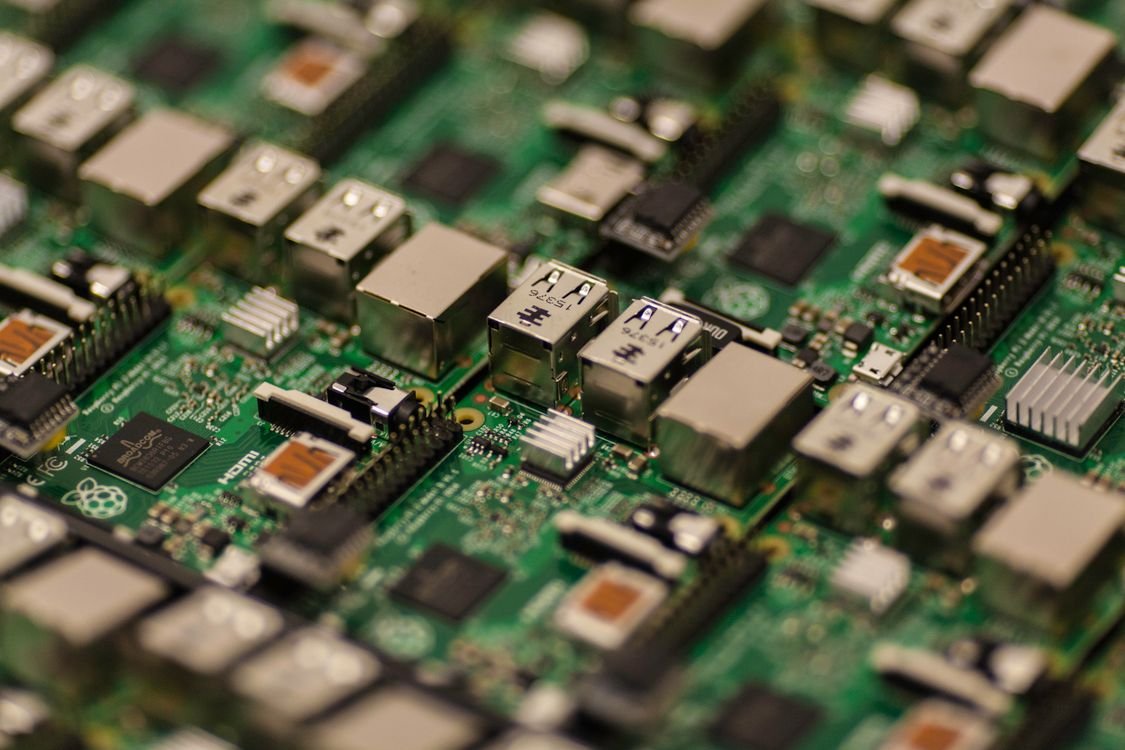
Illustrative stock photo (Pexels / Unsplash)
What to buy (and what to check first)
Before buying: verify upgradeability (SODIMM slots — check the service manual; "soldered"/"onboard" means no upgrade possible), check current configuration (CPU-Z → Memory tab — shows type, speed, channels, and slot occupancy), and determine the target (16GB→32GB is the standard upgrade; 2×16GB DDR5-5600 SODIMM).
What to buy: matched SODIMM modules — DDR5-5600 (the 2026 standard), from reputable brands (Crucial, Kingston, Corsair). A 2×16GB kit (£50–£70) is the sweet spot. Match speed to the existing module if adding (not replacing).
Dual-channel: the performance key
Dual-channel explained: two identical memory modules in paired slots operate in dual-channel mode — double the memory bandwidth. The impact: 10–20% better performance in CPU-bound games, smoother multitasking, faster integrated graphics (irrelevant with dGPU, but the principle holds).
The single-stick trap: many budget laptops ship with one 16GB stick (single-channel) — adding a second identical 16GB stick (dual-channel) is the single best upgrade for these machines. Check CPU-Z: "Single" channel means you are leaving performance on the table.
Installation step by step
Installation: power off, unplug, disconnect battery; remove bottom panel; locate SODIMM slots (often under a shield — remove carefully); release the retention clips (existing module pops up at 30°); insert new module at 30° (notch aligns — it only fits one way); press flat until clips engage; reassemble.
For adding (not replacing): install the matching module in the empty slot. For replacing: remove both old modules, install the new matched pair. Ground yourself (touch metal) — static precautions are simple but important.
Verifying the upgrade
After installation: verify in CPU-Z or Task Manager (capacity correct? dual-channel active? speed correct?), run a memory test (Windows Memory Diagnostic or MemTest86 — one pass minimum), and monitor stability for a few days (crashes or blue screens indicate a faulty module or incompatibility).
If problems occur: reseat the modules (most issues are poor seating), try one module at a time (isolates faults), and verify compatibility (some laptops are picky — the manufacturer's QVL list is the authority).
The matching: the kit
Matching RAM: the kit — the identical (the same — the model — the ideal); the specs (the speed — the timings — the matched); and the mixing (the worked — the downclocked — the avoided).
The matching truth: the kit (the pair — the tested — the guaranteed); the single (the added — the matched — the careful); and the mismatch (the slower — the timings — the compromised). The matcher (the precise — the rewarded); the mixer (the lucky-or-not — the lesson). The kit (the bought-together — the sure). The match (the perfect — the performance).
The speed: the JEDEC versus XMP
JEDEC versus XMP: the speeds — the JEDEC (the standard — the 4800/5600 — the guaranteed); the XMP (the overclock — the 6400+ — the desktop); and the laptop (the JEDEC — the supported — the reality).
The speed truth: the laptop (the JEDEC — the BIOS-locked — the 5600); the XMP kit (the downclocked — the wasted — the avoided); and the buyer (the JEDEC — the bought — the wise). The speeder (the XMP — the laptop — the disappointed); the informed (the JEDEC — the correct — the satisfied). The speed (the supported — the bought). The JEDEC (the laptop's — the law).
The 64GB: the when
64GB: the when — the VMs (the multiple — the hungry — the justified); the video (the 8K — the massive — the needed); the Chrome (the joke — the hundreds of tabs — the maybe); and the future (the 2030 — the standard — the hedge).
The 64GB truth: the 2026 (the overkill — the most — the honest); the specific (the VMs, the 8K — the genuine — the few); and the 32GB (the sweet — the enough — the recommended). The 64GB buyer (the need — the verified — the justified); the spec-chaser (the waste — the unused — the lesson). The RAM (the enough — the bought). The 64GB (the few's — the need).
The pair law: the dual-channel
The RAM upgrader's dual-channel is the law: the matched (the pair — the identical — the 2×); the single (the halved — the bandwidth — the avoided); and the verify (the CPU-Z — the dual — the confirmed). The single 16GB plus the empty slot is the half — the 2×8GB is the whole. The dual-channel is the 10–15% — the free with the pair.
The dual method: the buy (the kit — the 2× — the matched); the install (the pair — the slots — the filled); and the check (the CPU-Z — the dual — the smiled). The dual-channel is the non-negotiable — the kit, the pair, the whole. The single stick is the half; the kit is the complete.
The 16GB floor: the 2026 minimum
The RAM upgrader's 2026 floor is the 16GB: the minimum (the gaming — the adequate — the 2026); the 8GB (the past — the stutter — the upgraded); and the check (the soldered — the 16GB — the accepted). The 8GB in 2026 is the upgraded — the £40, the 16GB, the transformed. The soldered 8GB is the avoided — the 16GB soldered is the minimum.
The floor method: the assess (the current — the Task Manager — the 90%); the upgrade (the 16GB — the kit — the done); and the future (the 32GB — the considered — the later). The 16GB is the 2026's floor — the gaming, the Discord, the Chrome. The floor is the solid; the 8GB is the past.
The 2028 fluid: the 48GB upgrade
The RAM upgrader's 2028 is the 48GB: the 2026 (the 32GB — the bought — the enough); the growth (the 2028 — the hungry — the real); and the upgrade (the 48GB — the kit — the swapped). The 2026's 32GB becomes the 2028's 48GB — the SODIMM, the swapped, the smooth. The upgrader watches — the 2028 upgrades.
The 2028 method: the now (the 32GB — the bought — the smooth); the later (the 48GB — the priced — the upgraded); and the enjoy (the multitasked — the always — the fluid). The 2028 smooth is the 2026's slots — the upgradeable, the used. The 2028 is the watched.
The verdict
RAM upgrade realities: the best-value upgrade in computing — £50–£70 for a transformative multitasking improvement. Buy base RAM on upgradeable machines and upgrade yourself (manufacturer RAM pricing is heavily marked up).
Check the live price of SODIMM kits — they are commodities, and sales are frequent. The ten minutes you spend is the best investment in your laptop's performance.
Frequently Asked Questions
Can I upgrade my gaming laptop's RAM?
What if my RAM is soldered?
Which RAM should I buy?
What is dual-channel RAM?
Sources & further reading
Related Reading
DDR5 vs LPDDR5X in Gaming Laptops (2026)
DDR5 vs LPDDR5X in gaming laptops explained for 2026 — upgradeable SODIMM vs soldered memory, gaming impact, b…
Read →
How Much RAM Does a Gaming Laptop Need in 2026?
16GB vs 32GB vs 64GB RAM for gaming laptops in 2026, plus DDR5 vs LPDDR5X speeds and soldered vs socketed upgr…
Read →
Best Upgradeable Gaming Laptops in the UK (2026)
The best upgradeable gaming laptops in the UK for 2026 — machines with RAM and SSD slots like the Legion Pro, …
Read →